People often say that "if the audio size is big, that means the quality is nice". Actually, not really. Let me tell you one true story.
One day when I was surfing with my Facebook, there's Romeo and Cinderella movie video which was performed by Poppin'Party. It was part of BanG Dream x VOCALOID collaboration, so yeah it's normal, except the movie video uses the full version of the song. With my element inspection & dev console magic, I managed to get the audio file (it's not really legal, forgive me). The audio is encoded using AAC-HE encoding, with 48Kbps bitrate and frequency at 44100/22050Hz. The resulting file size is ~1.6MB. If you think the quality is bad, keep reading the story below.
A few days later, one of my friend managed to get 320Kbps MP3 version of the song, and posted a screenshot about it. The screenshot display full artist name, title, and even cover art. However, as you may know, those can be easily edited with many free software (FFmpeg allows you to add artist name and title, and the cover art can be easily obtained from clickable "Poppin'Party" above). When I see his post, I was skeptical about it. so I managed to ask if he can send me the audio file for analysis purpose, in exchange with the AAC-HE version that I have. He lend me the MP3 version, which has size around ~10MB (which is normal for 320Kbps MP3), and I also lend him my AAC-HE version, which is ~1.6MB (almost 10x smaller). He can't tell the difference between his MP3 version and my AAC-HE version sadly, but he only says that mine has lower audio volume (which is not really related).
Now, it's time to put it to FL Studio's "Wave Candy" plugin. First, I set up FL Studio to listen to Stereo Mix (it's rare to find laptop/PC with this feature). First test is to use my AAC-HE version that I got from Facebook. The result? bit surprising. I already knew that AAC-HE has better quality for lower bitrate as low as 32Kbps. The AAC-HE version has ~16KHz fieldity (better band preservation). Then when I test the MP3 file, my guess is correct, the band preservation is only ~12KHZ, way lower than AAC-HE version that I got. I also can differentiate the audio quality with my ear alone, and my ear tells me that the MP3 audio quality is lower than the AAC-HE version.
From that, we can conclude that smaller audio file size doesn't mean lower quality. It depends on encoding used and how lossy it was before re-encoded. Because, as you may know, re-encoding lossy audio degrades the quality even and even more. You also can't trust the file size alone because, say I re-encode that Romeo and Cinderella song (AAC-HE version) to WAV 44100Hz (which yields to ~40MB), I won't gain anything, and in fact I only waste drive space (it will only have ~16KHz fieldity). The quality is then exactly same as AAC-HE version, and if I re-encode the WAV to AAC-HE again, the quality won't be same as the first one.
Then, back to the title of this post. Music quality is associated with file size. True? The answer is FALSE.
Sunday, October 28, 2018

Friday, October 19, 2018
Girls Band Party! PICO Episode 16 Bodyswap Explained.
Before you read the rest of the post, please watch the video.
Okay based on that video, we can see that all members of Poppin'Party is switching bodies to each other. This blog post will explain who swap to which one.
- Duration 0:41, we can see Kasumi's sister, and Arisa saying "I'm home, Acchan" (Kasumi call her sister Acchan). Then Kasumi's sister asking "Ichigaya-san where's my sister" then Arisa says "What are you talking about?". Also at duration 1:03, Arisa replies "This is Kasumi". So, we can then conclude that Kasumi is in Arisa's body.
- The following duration (1:03), we can see it's not usual Rimi expression (she's usually shy), which is more similar to Arisa. Also in duration 1:59, Rimi is asking Arisa (which is Kasumi inside Arisa body) to bring her body back. From this, we can conclude that Arisa is in Rimi's body.
- Duration 2:02, Saaya asking Rimi to stop bang her head to Arisa followed by "Stop! That's my body!". For some people, it may sounds ambiguous, considering Kasumi is in Arisa's body now, and Arisa is in Rimi's body, also with different face expression of Saaya, I think we agree that Rimi is in Saaya's body.
- The rest (Tae and Saaya) is bit hard. We'll start with Tae first. Where's she? Let's take a look at the beginning, duration 0:15. Remember Tae's expression correctly here. Then seek to duration 2:04 (if possible, slow the video down to 25% to see correctly). You can see Kasumi's expression is similar to Tae one in duration 0:15. Based on this, I think we can agree that Tae is in Kasumi's body.
- Then, where's Saaya? I think it's clear which body is Saaya. Kasumi is in Arisa's body, Arisa is in Rimi's body, Rimi is in Saaya's body, Tae is in Kasumi's body, then Saaya must be in Tae's body!
| Body | .png) |
.png) |
.png) |
.png) |
.png) |
|---|---|---|---|---|---|
| Soul | |
|
|
|
|
When you promote your band, make sure to promote your band at pet shop at first.
Friday, June 29, 2018
LÖVE Optimization Tips
It’s common for people to write game and then “damn it performs very slow”, or “ok this game is fast enough” then when testing in slower hardware it complains “damn it’s slow af”. So these points will help you to optimize your game for more performance. This assume you’re using LOVE with LuaJIT as LuaVM. If you have different configuration (like LOVE with Lua 5.2 or with Lua 5.1), some points in here may not relevant.
Note that these things may be considered as micro-optimization in desktop PC, but it’s noticeable in mobile.
Move your game computation in
Okay let’s see why. First, math computation in LuaJIT are compiled, which mean it’s fast. Second, calls to love.graphics api in LuaJIT are not compiled and break the code around that area to be not compiled. So instead of
Do it like this.
A note: This is less relevant for mobile (iOS and Android), as JIT compiler is disabled by default.
Admit it. All calls to SpriteBatch object method will be never compiled. As of LOVE 11.0, there’s a feature called autobatching. That’s it. It automatically batches your draws, much like SpriteBatch with “dynamic” and “stream” mode.
Now, why use SpriteBatch for static batches? That’s because it’s better to call
Only use
Even with LuaJIT 2.1 trace stitching feature (allows uncompiled function like
If you really need to index by things other than number, store the key in numered array, index that, then use the value to index the actual table. Then you can use
Oh also
Use
Very true if you’re targetting mobile devices. Check out this chat I took from LOVE Discord server.
Well, you shouldn’t use FFI in mobile devices at all anyway. Starting from Android 7, any calls to
Switch the JIT compiler before
You may ask yourself. Why? The answer is, LOVE utilize some FFI call optimizations when it detect it runs with JIT compiler enabled, mainly in
Those kind of optimization is mostly helps in CPU optimization. For GPU, you need to reduce drawcalls, reduce canvas usage (or don’t use it at all), and use compressed texture. If it’s still slower, but the CPU stays low, that indicates you’re fillrate-limited, in which case, any optimization in here doesn’t really help you at all.
Note that I may still wrong, so if you have something to add, or something is invalid in above tips, just comment below to discuss it.
Also, did I also mention that JIT compiler for ARM64 is unstable?
Note that these things may be considered as micro-optimization in desktop PC, but it’s noticeable in mobile.
Move your game computation in love.update, and keep love.draw solely for rendering.
Okay let’s see why. First, math computation in LuaJIT are compiled, which mean it’s fast. Second, calls to love.graphics api in LuaJIT are not compiled and break the code around that area to be not compiled. So instead of
function love.draw()
 var1 = var1 + 20 -- this computation is done in LuaJIT interpreter
 -- because calls to love.graphics.draw below can't be compiled
 love.graphics.draw(image, var1 * 0.02, 0)
end
Do it like this.
function love.update()
 -- this computation is done in machine code because
 -- it's compiled.
 var1 = var1 + 20 * 0.02 -- LuaJIT will optimize 20*0.02 to 0.4
end

function love.draw()
 love.graphics.draw(image, var1, 0)
end
A note: This is less relevant for mobile (iOS and Android), as JIT compiler is disabled by default.
Use SpriteBatch, especially if it’s static.
Admit it. All calls to SpriteBatch object method will be never compiled. As of LOVE 11.0, there’s a feature called autobatching. That’s it. It automatically batches your draws, much like SpriteBatch with “dynamic” and “stream” mode.
Now, why use SpriteBatch for static batches? That’s because it’s better to call
love.graphics.draw once to draw many things than calling love.graphics.draw to draw each thing. The former saves CPU due to Lua to C API call overhead, allowing your game to run faster.
Only use pairs when you don’t have a choice.
Even with LuaJIT 2.1 trace stitching feature (allows uncompiled function like
love.graphics.draw not to break JIT compilation), pairs still breaks JIT compilation because it uses uncompiled bytecode. You can check what things that are compiled or not in here.If you really need to index by things other than number, store the key in numered array, index that, then use the value to index the actual table. Then you can use
ipairs or simple for loop to iterate the table (both are compiled). Something like this.myTableKey = {"key1", "key2","key3"}
myTableValue = {key1 = "Hello", key2 = "World", key3 = io.write}
for i, v in ipairs(myTableKey) do
local value = myTableValue[v]
-- do something with `value`.
-- It can be either "Hello", "World", or `io.write` function.
end
Oh also
pairs doesn’t guarantee the order they’re defined. When you run pairs in myTableValue above, key3 might be shown first, then key1, then key2.
Use io.write for simple debugging, not print.
print is not compiled, but io.write is. The downside of io.write is that you’ll lose of automatically separated values and object-to-string conversion feature. If you don’t care about this, you can use print. Well, this is solely a preference. If you need the full power of print, then use print. For very simple variable printing, use io.write.Never use FFI for computation optimization purpose.
Very true if you’re targetting mobile devices. Check out this chat I took from LOVE Discord server.
A: Will vector-light be faster than brinevector?That’s where the problem begins. Once you step into FFI, your phone will start to cry when running your code.
B: Depends. Brinevector is faster, but only on desktop. It’s terribly slow on mobile. Vector ligh (hump?) Is faster, but the code is messy since thats only for vector operations
A: if I made an FFI version of vector-light that was just pure functions, it would be faster right?
Wait, based on benchmark, FFI is faster than plain Lua table.That kind of argument doesn’t work once you have JIT compiler disabled. I’ve tried to benchmark it that in most cases FFI is ~20x slower than plain Lua when JIT compiler is disabled. Then what’s the matter for mobile devices? Take a look at first tips above. Mobile devices have JIT compiler disabled by default, which means slow FFI.
Well, you shouldn’t use FFI in mobile devices at all anyway. Starting from Android 7, any calls to
ffi.load will just fail due to changes in Android 7 dlopen and dlsym which restrict those function greatly that it makes ffi.load cease to function. And in iOS, I don’t see the point of using FFI as all things must be statically compiled.
Switch the JIT compiler before love.conf is called in conf.lua
You may ask yourself. Why? The answer is, LOVE utilize some FFI call optimizations when it detect it runs with JIT compiler enabled, mainly in
love.sound and love.image modules, and the detection is done before main.lua is loaded. Some people did this wrong by turning the JIT compiler on/off in main.lua, which can lead to slower performance.Conclusion
Those kind of optimization is mostly helps in CPU optimization. For GPU, you need to reduce drawcalls, reduce canvas usage (or don’t use it at all), and use compressed texture. If it’s still slower, but the CPU stays low, that indicates you’re fillrate-limited, in which case, any optimization in here doesn’t really help you at all.
Note that I may still wrong, so if you have something to add, or something is invalid in above tips, just comment below to discuss it.
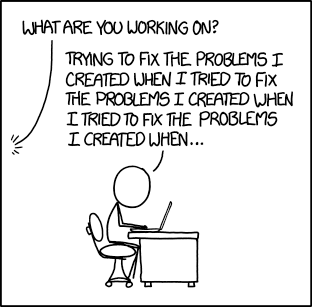 |
| 'What was the original problem you were trying to fix?' 'Well, I noticed one of the tools I was using had an inefficiency that was wasting my time.' |
Also, did I also mention that JIT compiler for ARM64 is unstable?
Monday, June 18, 2018
Firefox DNS-over-HTTPS
TL;DR: Firefox DoH is buggy atm. Hopefully it's usable in Firefox 62, or at least Firefox 61.
Sunday, June 10, 2018
Windows XP Minesweeper
TL;DR: You can run the game flawlessly, providing you have Windows XP installed.
Subscribe to:
Comments (Atom)